The bench
Every case, by stage
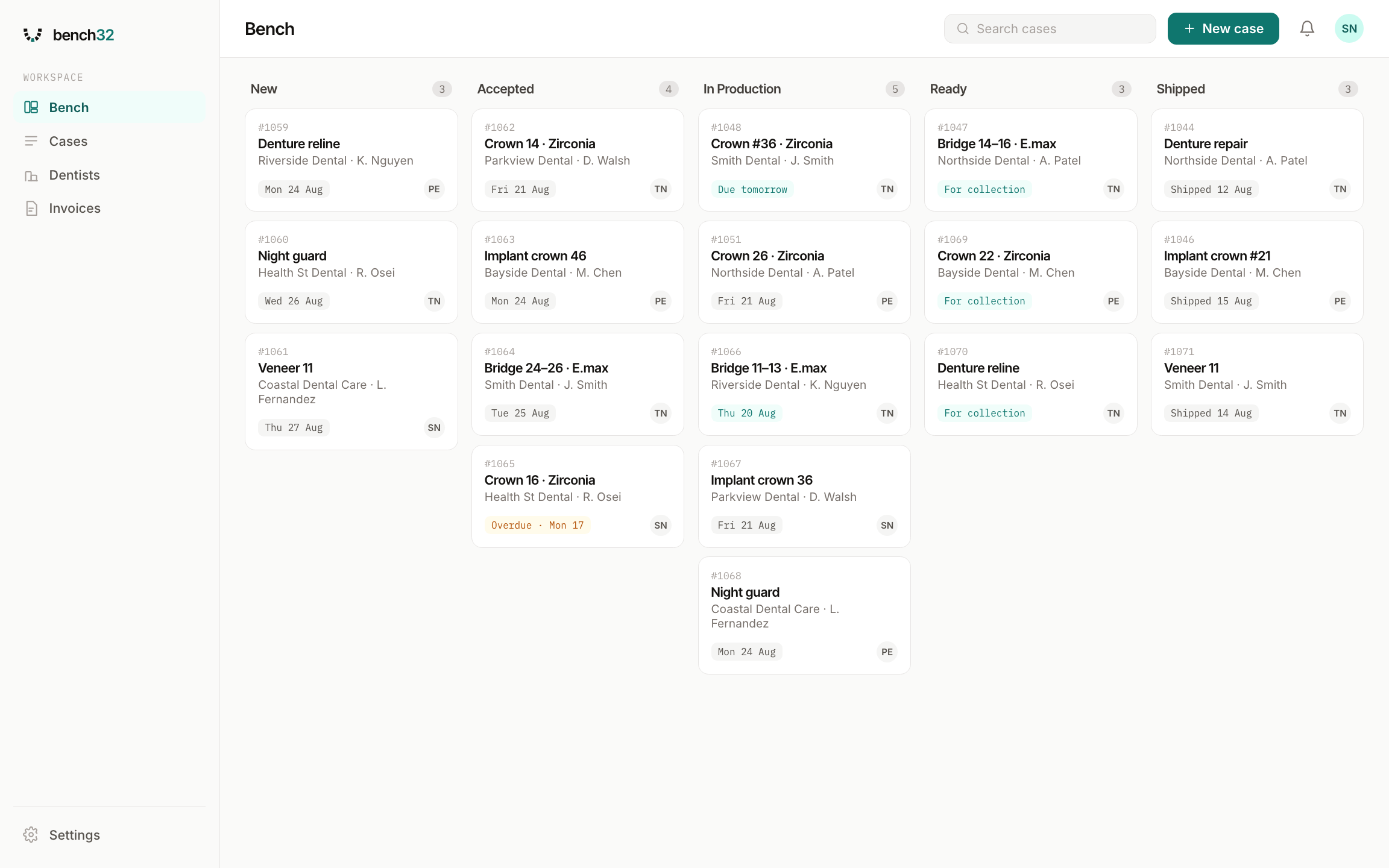
Every job on one screen, grouped by where it's up to — new, accepted, in production, ready, shipped. Anything overdue is flagged before a dentist has to ring and ask.
How it works
The bench, a case in detail, and your invoicing — the three screens you'd spend most of the day in.
The bench
Every job on one screen, grouped by where it's up to — new, accepted, in production, ready, shipped. Anything overdue is flagged before a dentist has to ring and ask.
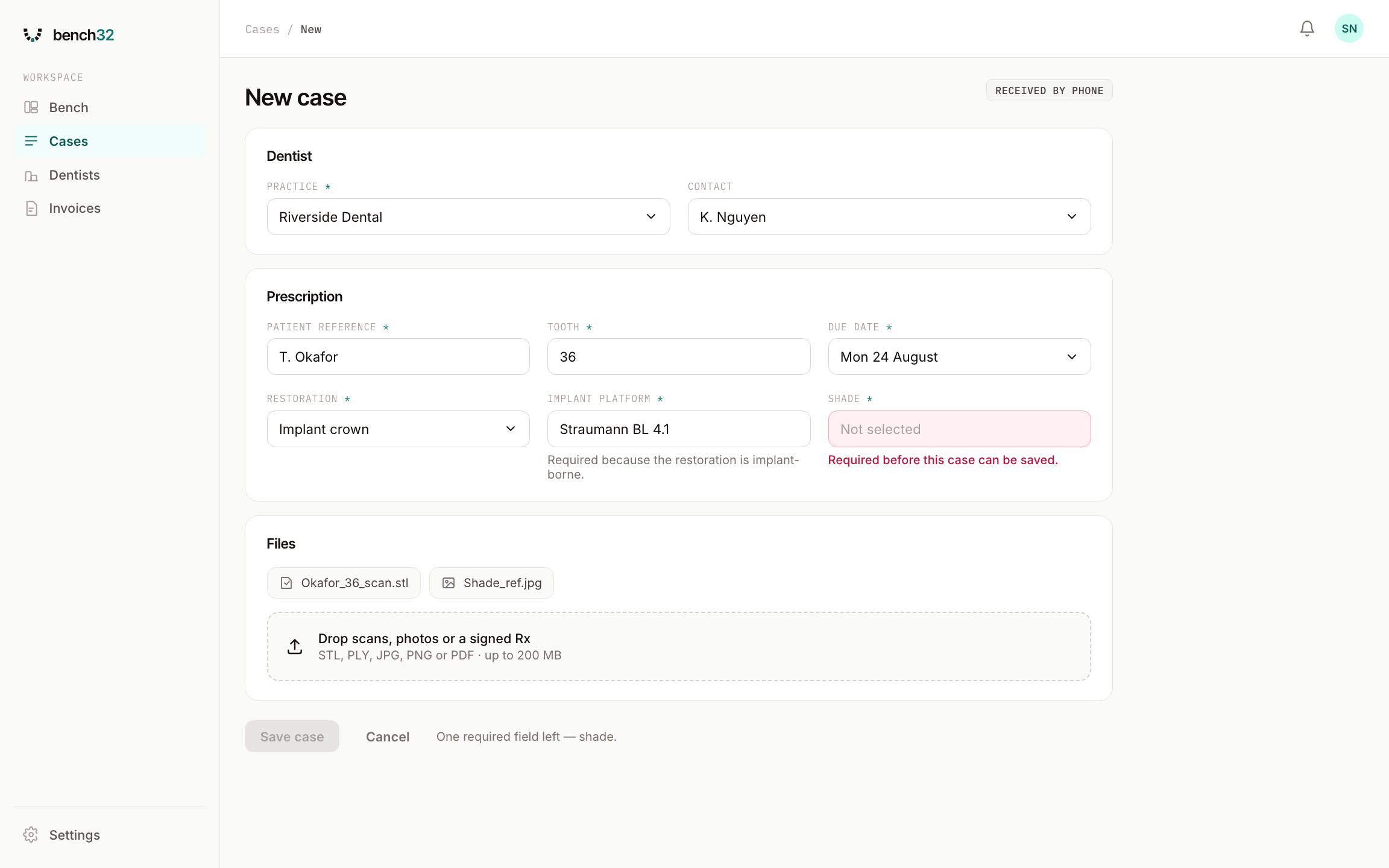
New case
Not every dentist will use the portal. When one rings, the same required fields apply — shade, platform, due date — so a case taken over the phone lands on the bench as complete as a submitted one.
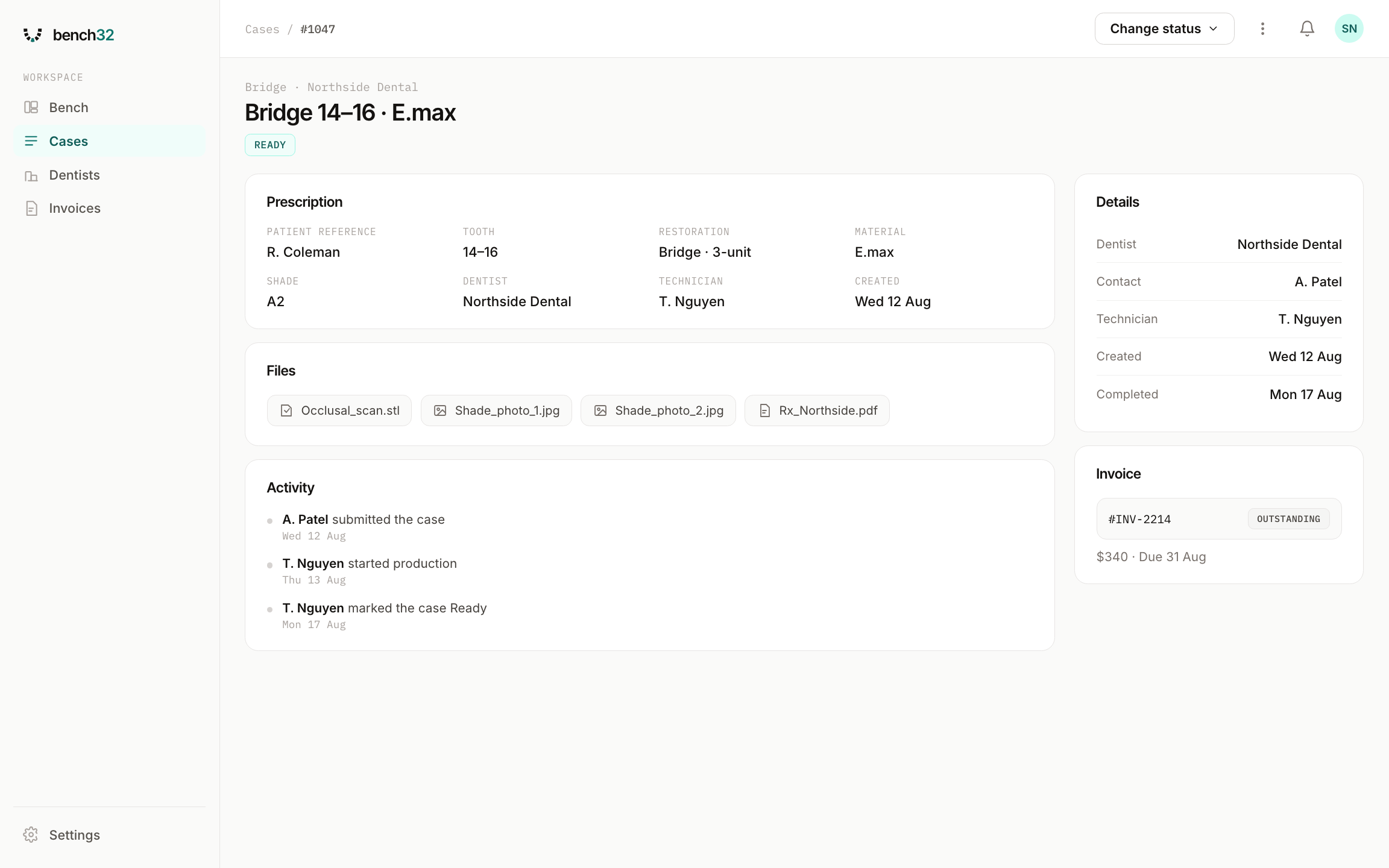
A case
Prescription, tooth, material, shade, the dentist who sent it and the technician on it — with the files attached to the case, instead of scattered across email, messages and expired download links.
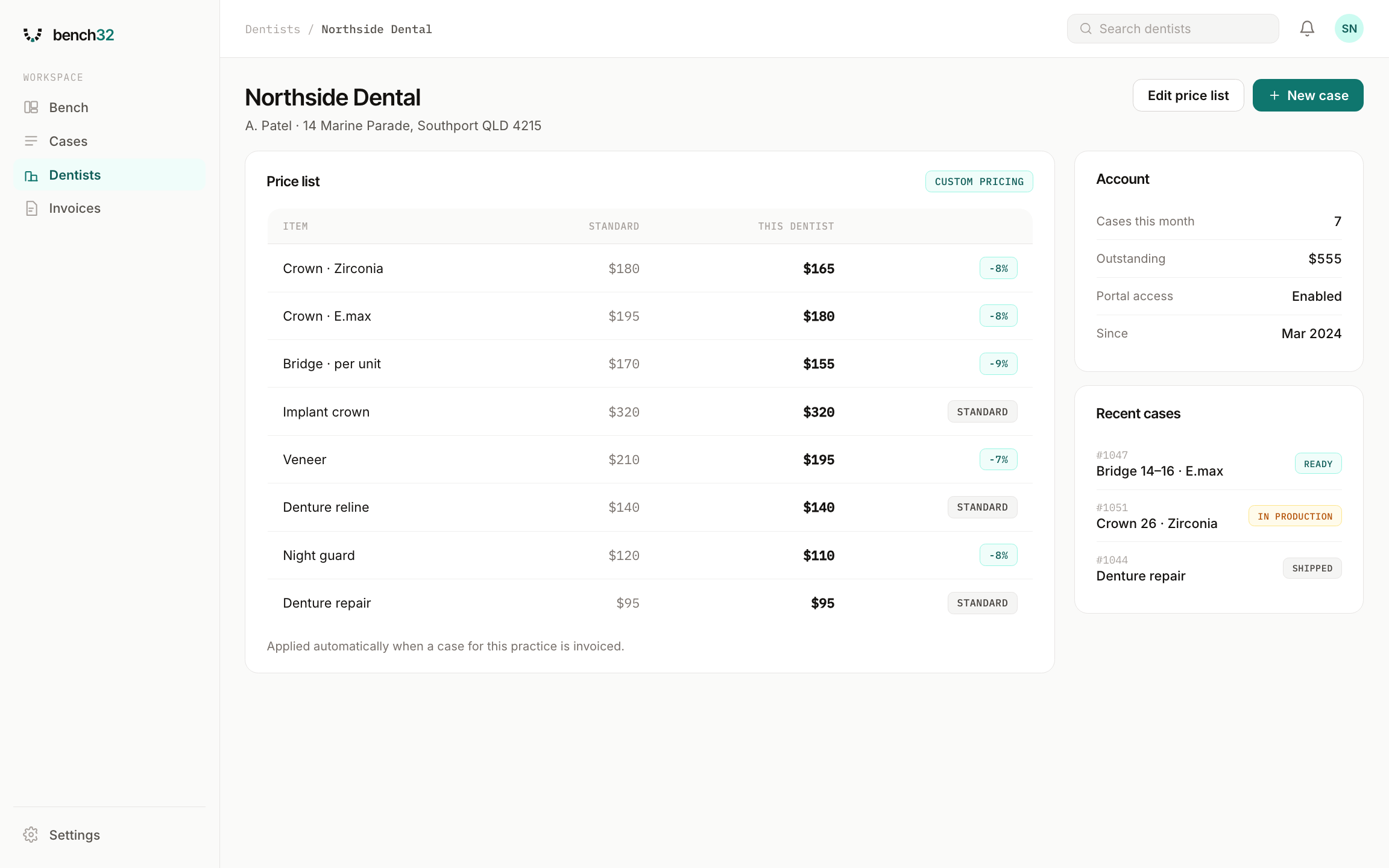
Dentists
Every practice you work with, who to speak to, and the price list you have agreed with them — so an invoice uses the right rate without you checking a spreadsheet first.
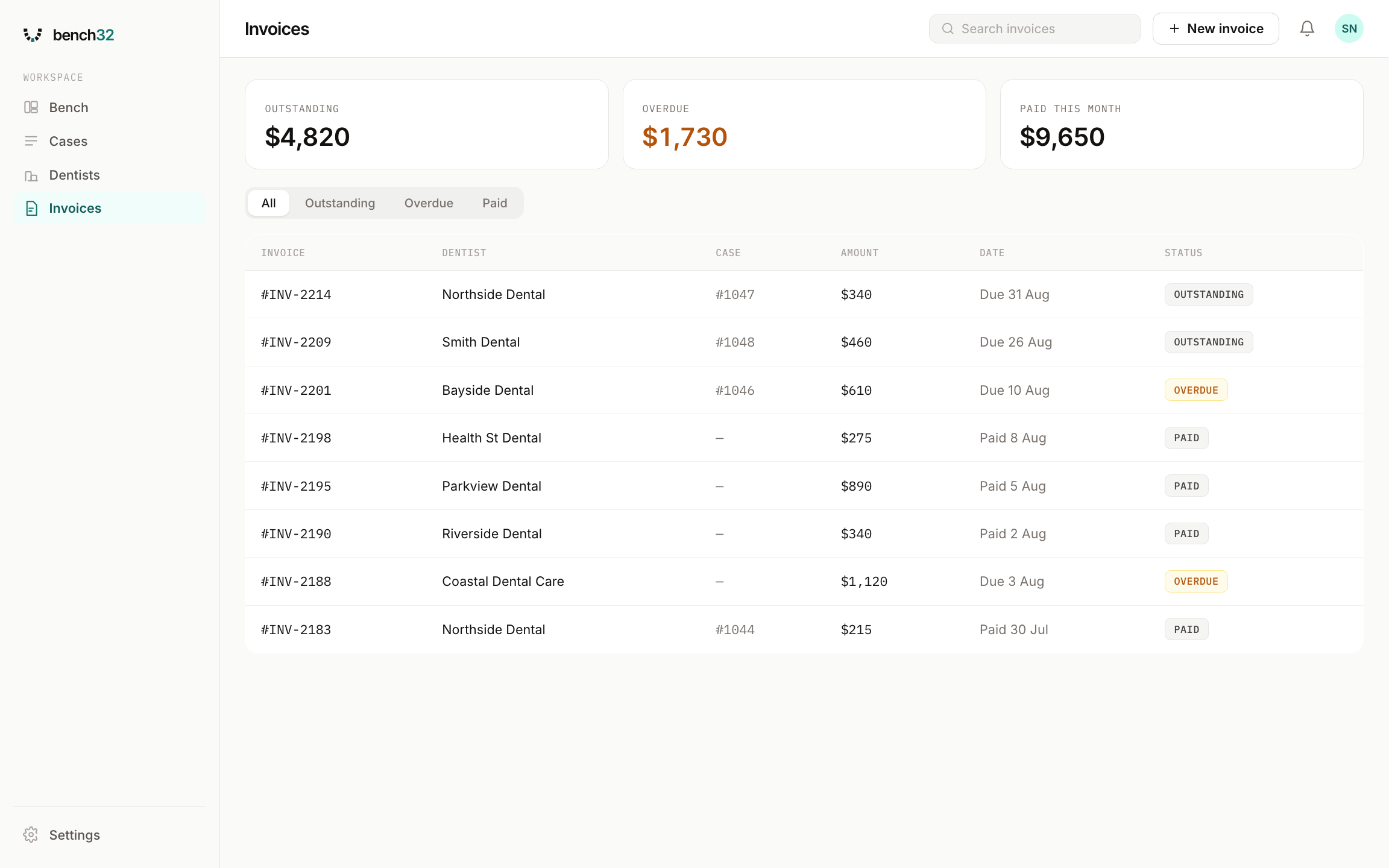
Invoices
Outstanding, overdue and paid this month at a glance, with every invoice tied back to the case it came from.
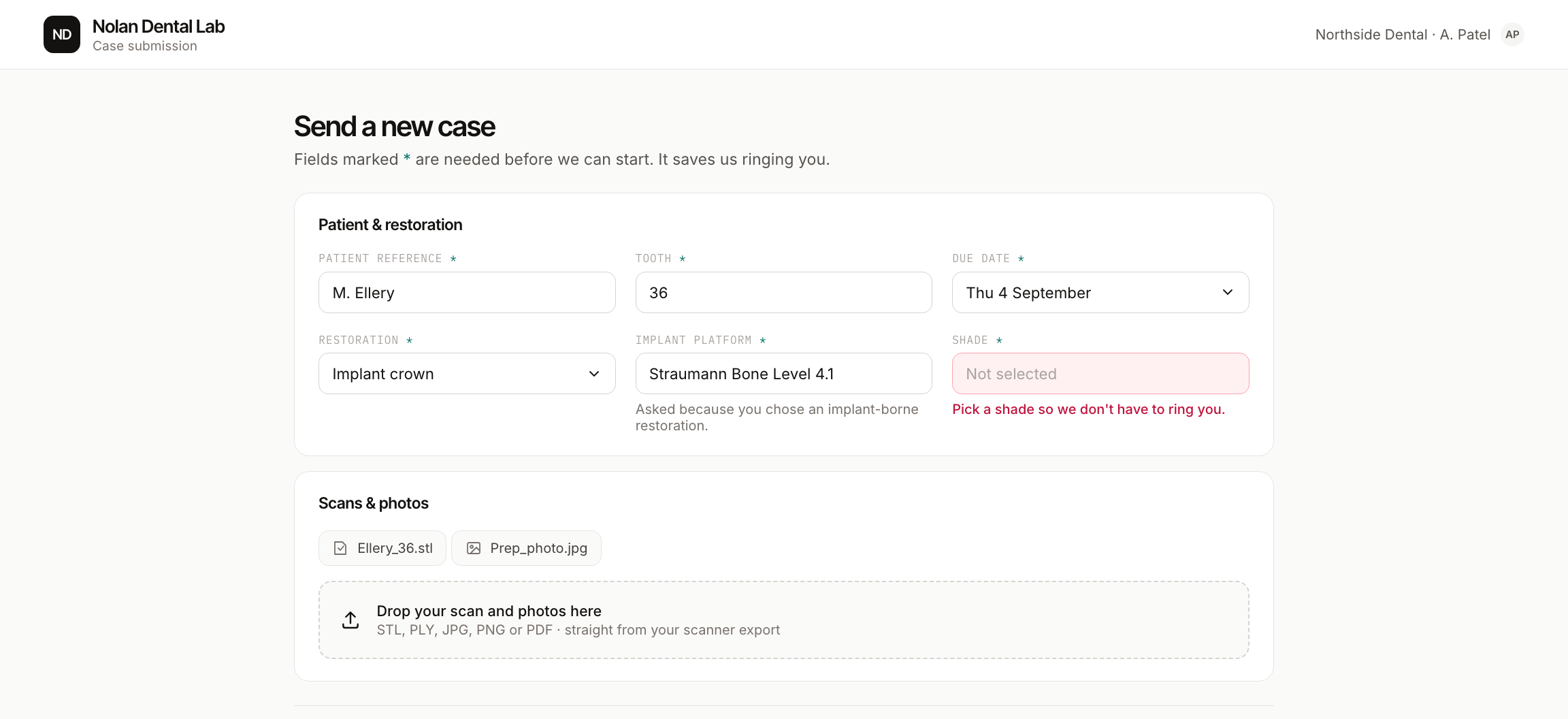
The dentist portal
Your dentists get a link, not a PDF. The fields you need are marked required, and nothing reaches your bench until they are filled in — no shade, no platform, no due date means no submission.
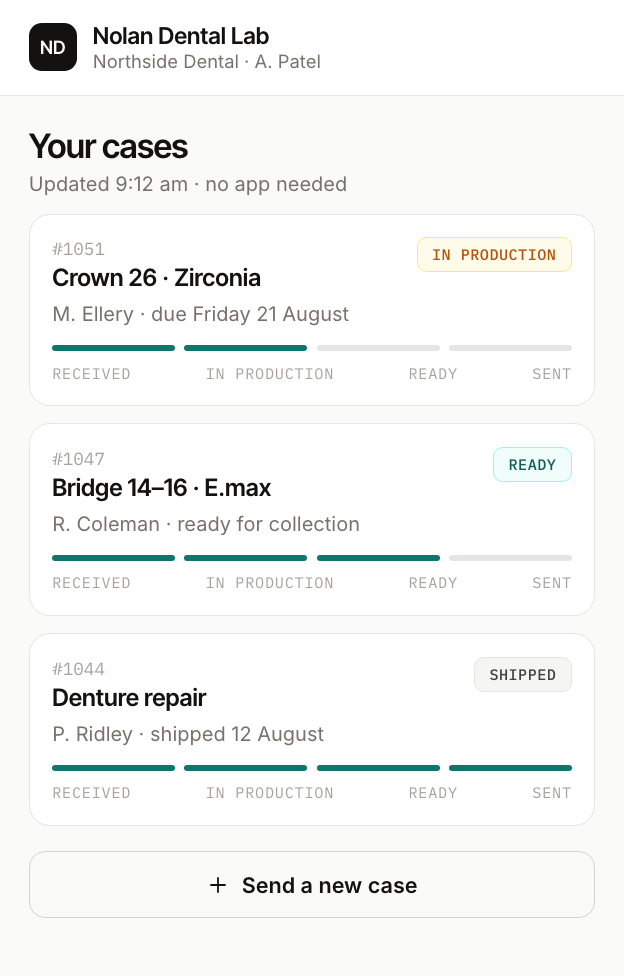
On their phone
The same portal on a phone, with no app to install. Every status change on your bench shows up here — which is what stops the phone ringing mid-pour.
Bench32 is opening to a small number of labs first. Leave your details and we'll be in touch.